
Valheim · Guides
Valheim map guide: markers, exploration and cartography sharing
Your Valheim map records explored areas for your character. Use named markers for places you want to revisit, then use a Cartography Table when you want to exchange map information with other players.
Gameplay details checked against Valheim 1.0.12 on September 13, 2026.
Mark useful places
On the mouse-controlled map, choose a normal pin type and double-click a position to name a marker. Clicking an existing personal pin toggles its checked state. Middle-click to send a temporary ping instead of saving a named pin. Controller and touch players should follow the displayed map prompts for their input mode.
Useful labels include your camp, portal names, resource sites and places that need better equipment. Use names your group will recognize when you share the map.
Share with a Cartography Table
- Build a Cartography Table using its listed materials and required station.
- Use its record interaction to write your map information. The table combines explored areas already recorded there with the information you provide.
- Other players use its read interaction to import the stored explored areas and shared saved pins. Recording also reads the table first, so it is useful when exchanging discoveries in both directions.

The table shares saved pins, but excludes death pins. Add a normal marker if you need to share a death location. Reading the table reveals other players' discoveries without visiting those areas yourself.
If the table has no stored data, someone must record information first. If access is restricted, ask the base owner to let you use the table.
Find a biome or location in your world
Use the biome reference, location families and trader pages to learn where a destination can appear and what it may contain. They explain which biomes and conditions allow a location to appear. They cannot give coordinates for your seed.
A seed is not a copy of your developed world. Buildings, changes and player progress belong to saves. To move an existing world, follow the complete-world backup and transfer instructions.
This site does not currently provide a seed viewer, a downloadable copy of your map or a save importer. For a new biome added by an update, check the returning-player guide: new content may need unexplored terrain in an older world.
Seeds, coordinates and downloaded worlds
A world name identifies the save you choose to load; it is not necessarily the generation seed. If you join somebody else's dedicated server, ask the host for the original seed or the saved world metadata. Do not infer a seed from the advertised server name, and do not treat a dungeon's local generation seed as the entire world's seed.
To copy a world with its buildings and progress intact, get the host's complete world files and follow the backup guide. A picture of a revealed map or a text seed cannot reproduce saved construction and changes. For exact seed coordinates, you need a separate seed-map service. For a downloadable player world, ask its owner.
Find Haldor, Hildir or the Bog Witch
Search the biome for the trader you need, rather than expecting all merchants at the same place:
| Trader | Search biome | Check before the trip |
|---|---|---|
| Haldor | Black Forest | Stock, prices and any progression-gated entries; the Fishing Rod and ordinary bait are sold here |
| Hildir | Meadows | Stock and the chest-related conditions attached to her goods |
| Bog Witch | Swamp | Her own goods and their unlock conditions; she is a separate trader |

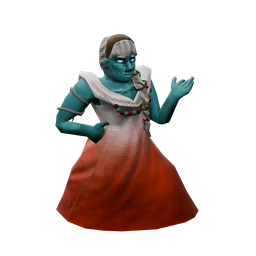
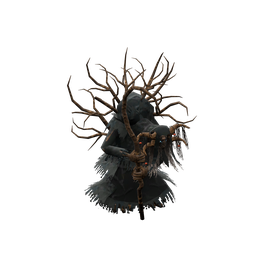
Explore suitable regions, check your in-game map for discovered location markers and keep a route home. This wiki cannot see which trader locations your world generated or your party discovered. There is no universal trader coordinate or guaranteed compass direction from your starting stones.
The trader pages list possible locations, stock and unlock requirements. Check these before making the trip. Some goods only become available after enough progression. In multiplayer, exchange discoveries through your party's maps or Cartography Table instead of assuming that a location in somebody else's seed exists at the same coordinates in yours.
Recognize a Leviathan while exploring the Ocean
The Ocean's Leviathan is a natural source of Chitin. Mine it for Chitin, which you can look up for drop amounts and recipes. The Ashlands location named Leviathan Lava is a different place.

Mining can trigger a reaction followed by a dive. Keep a reachable way back to your boat rather than assuming that this apparent island is a permanent building site. The mining reaction is random. You cannot count on a fixed number of safe hits or a full harvest before it dives.
Related articles
- Valheim boss order and progression: Meadows to Deep North
A practical Valheim 1.0 route through eight bosses, their offerings and useful unlocks, with Swamp, Mistlands and Ashlands preparation and the final Kall encounter.
- Valheim building guide: support, roofs and smoke
Fix collapsing pieces, exposed workbenches, unusable beds and smoky fires in Valheim. Plan a base with enough support, shelter and room to work.
- Valheim equipment guide: choose weapons, armor and arrows
Compare Valheim weapons at the quality you can make, choose arrows for boss resistances, and weigh armor, shields and woodcutting tools against their costs.